Oops! Something went wrong while submitting the form.

.png)
.svg)
Every Monday, your leadership team asks the same questions: Which reps are winning, which campaigns are working, and where is revenue slipping through the cracks? Salesforce report formulas are the lens that turns scattered CRM records into answers. Summary Formulas roll up performance across thousands of opportunities or cases, while Row-Level Formulas catch issues on individual records, like mismatched regions or missing fields. Used well, they give sales and marketing leaders a live, trustworthy dashboard of the business.
The problem is that building and maintaining those formulas is still a very human chore—clicking through the Report Builder, tweaking fields, validating logic, cloning reports for every manager. Delegating this busywork to an AI agent means Salesforce reports are created, refreshed, and QA’d on autopilot. Instead of burning hours rebuilding the same win-rate or average deal-size formulas, your AI computer agent can log in, apply the right logic, validate results, and deliver ready-to-present dashboards while you focus on strategy.
Salesforce report formulas are the difference between “we think” and “we know.” But as your org grows, keeping those formulas accurate, standardized, and up to date becomes a grind. Let’s walk through practical ways to handle Salesforce report formulas—from hands-on to fully automated with AI agents—so you can choose the path that fits your team today and tomorrow.
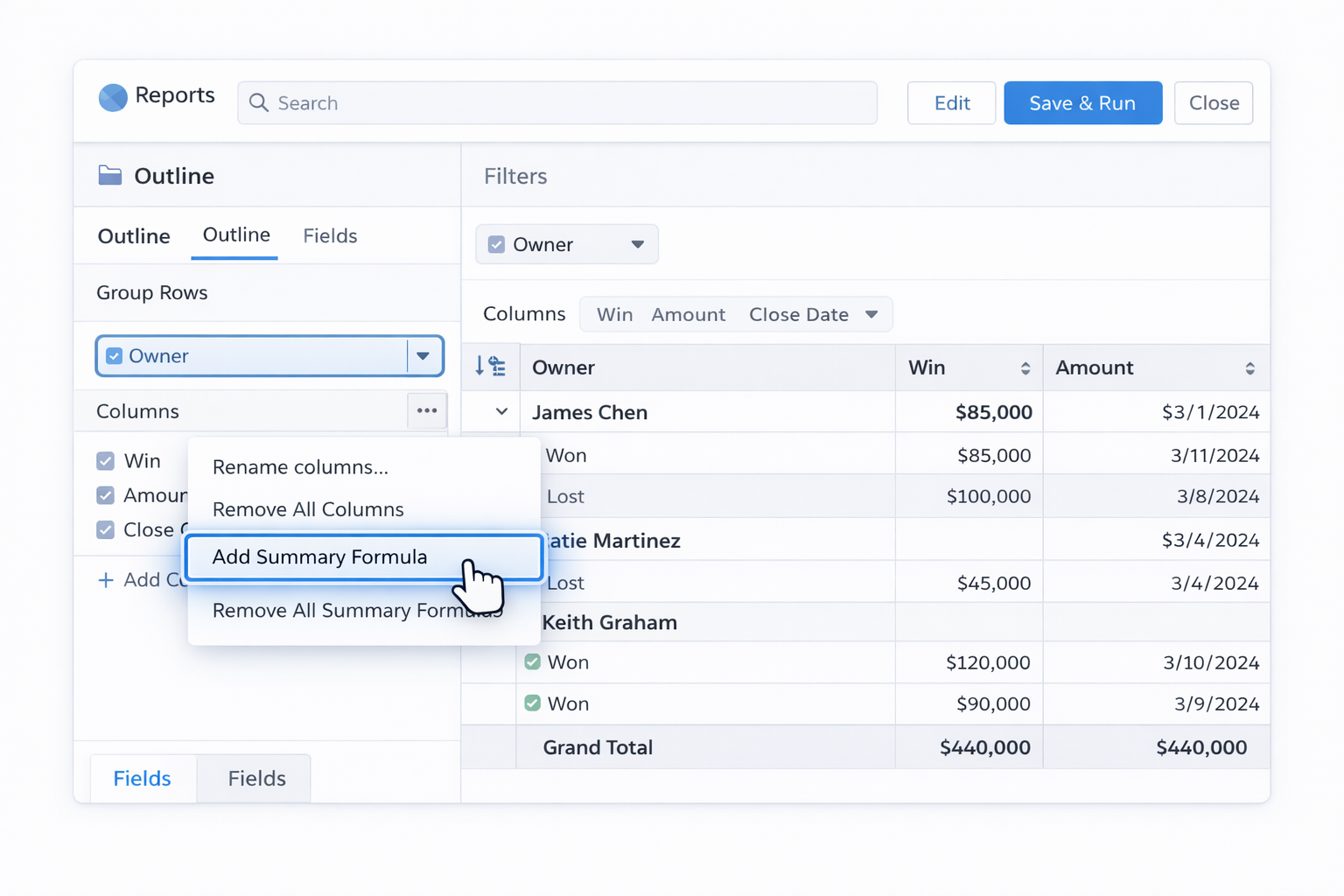
Summary Formulas calculate across multiple records (for example, average renewal amount or win rate).
Step-by-step:
AMOUNT:SUM / RowCountWON:SUM / CLOSED:SUMOfficial docs:
Row-Level Formulas compute on a single row (record). Great for checks like “Is Billing State equal to Shipping State?”
Step-by-step:
IF formula to compare fields. Example:IF(Account.BillingState = Account.ShippingState, 1, 0)Reference article (deep dive):
Often you don’t need a custom formula at all.
This keeps things simple and reduces formula sprawl.
Instead of reinventing the wheel:
Once a month, manually:
Pros (manual approaches): maximum control, low tech barrier. Cons: time-consuming, error-prone at scale, heavily dependent on one "Salesforce hero" in your org.
Even without coding, you can wrap some automation around your formulas to reduce manual effort.
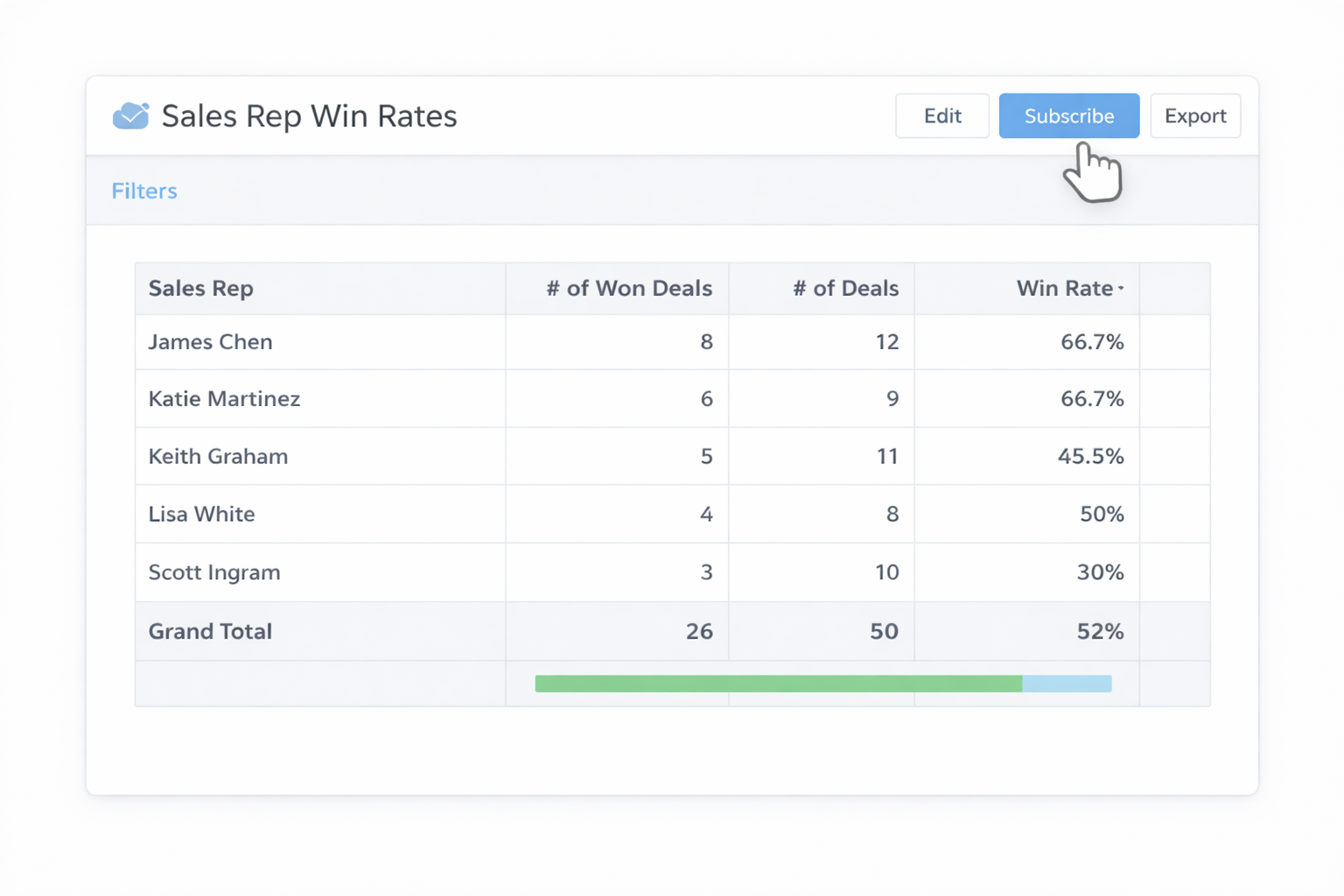
Subscriptions don’t build formulas, but they stop you from constantly re-running reports.
Docs: search "Report Subscriptions" in Salesforce Help: https://help.salesforce.com/s/
Create a folder like Global Sales Report Templates:
This no-code pattern standardizes formulas without extra tools.
Formulas are only as good as your data.
Better data → fewer "why is this formula wrong?" conversations.
For some marketing or finance teams, it’s easier to:
Pros (no-code): reduces repeated clicks, improves reuse, leverages native Salesforce features. Cons: still depends on humans to design and maintain formulas and report structures.
Manual and no-code approaches work—until they don’t. When you’re cloning variations of the same report for every region, product line, and manager, the overhead explodes. This is where an AI computer agent like Sai can take over the "hands on keyboard" work.
Sai (https://www.sai.work/) is a highly capable computer-use agent designed to operate your desktop, browser, and cloud tools the way a human would. That means it can:
Workflow:
WON:SUM / CLOSED:SUM) and the required filters.Pros: removes hours of repetitive clicking, guarantees formula consistency, easy to roll out updates globally. Cons: requires an initial setup and clear instructions, plus access management for the agent account.
Instead of manually spot-checking:
This turns QA from a quarterly panic into a quiet, continuous background process.
For recurring executive packs:
By connecting Sai’s webhook integration to your existing pipelines (as described at https://www.sai.work/), you can trigger these runs after key events—month-end close, campaign launches, or board meetings.
Pros (AI agent): massive time savings, consistent execution, ability to handle workflows with thousands of steps. Cons: needs careful onboarding and permissions, and you’ll want a human to own the "reporting playbook" the agent follows.
When you blend the strengths of Salesforce’s native report formulas with Simular’s autonomous execution, you stop rebuilding the same logic and start treating reporting as an always-on service for your business.